The CTET February 2026 cycle has concluded. The result was declared on March 30, 2026, with 5,97,061 candidates qualifying across both papers — an overall pass percentage of 25.68%.
This guide is structured for the next CTET cycle — expected to be notified later in 2026 at ctet.nic.in. Every process described here — download steps, password recovery, correction window rules, and exam day instructions — follows the same framework CBSE uses for every CTET cycle.
What Is CTET and Who Needs It?
The Central Teacher Eligibility Test (CTET) is conducted by the Central Board of Secondary Education (CBSE) under the Ministry of Education. It is the mandatory eligibility certification for teachers seeking appointment in Central Government schools — Kendriya Vidyalayas (KVs), Navodaya Vidyalayas (NVs), Central Tibetan Schools (CTSs), and other centrally administered schools.adda247+1
CTET has two papers:
-
Paper I: For candidates wanting to teach Class 1–5 (Primary Level)
-
Paper II: For candidates wanting to teach Class 6–8 (Upper Primary Level)
-
Candidates can appear in both papers simultaneously if they want to teach both levelscareerpower+1
Exam mode: Offline — pen and paper, OMR-based answer sheet. CTET is not conducted as a Computer Based Test.shiksha+1
Validity: A CTET certificate is valid for lifetime following a CBSE amendment — the earlier 7-year validity rule has been permanently removed.
Frequency: CBSE typically conducts CTET once or twice a year.testbook+1
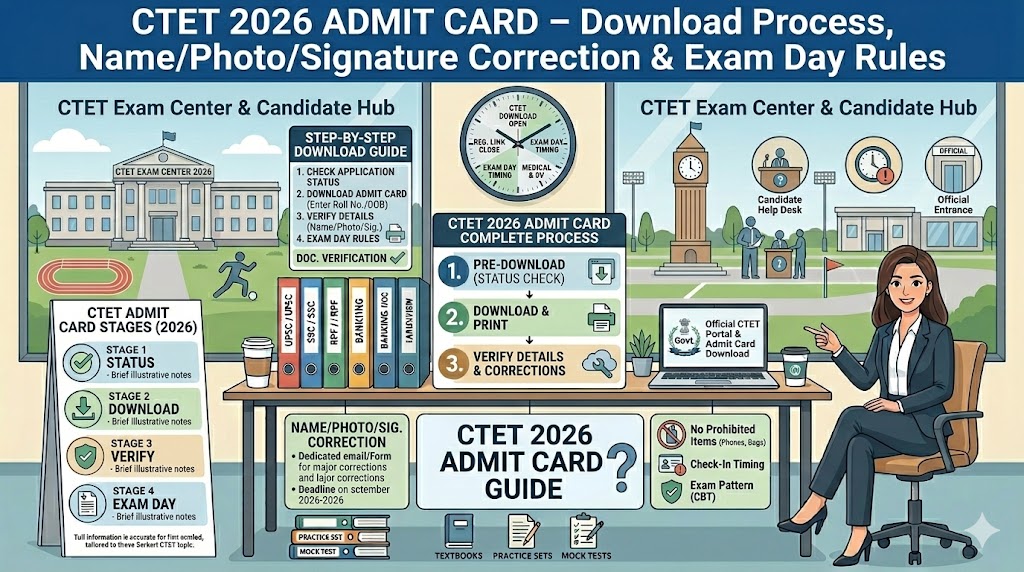
How to Download CTET Admit Card — Step by Step
The official portal is ctet.nic.in — the only authorised source for admit cards, results, and all official CTET communication.ctet+1
Step 1 — Visit ctet.nic.in
Go directly to ctet.nic.in. Do not use third-party portals or click “CTET admit card download” from search results — fake mirror sites exist.
Step 2 — Click the Admit Card Link
On the homepage, click “Admit Card: CTET [Cycle Name]” — the active admit card link appears on the homepage only when the admit card has been released.
Step 3 — Enter Your Login Credentials
On the CTET login page, enter:
-
Application Number — generated at the time of registration
-
Date of Birth — in DD/MM/YYYY format
-
Security Pin — the CAPTCHA code displayed on screen
Click “Submit.”
Step 4 — Verify All Details Before Downloading
Your admit card opens on screen. Verify every field before downloading — corrections after this stage are extremely difficult.
Step 5 — Download and Print
-
Print on A4 size paper — do not resize or crop
-
Print at least 2 copies — one for exam hall entry, one as backup
-
Black and white is acceptable — but the photograph must be clearly and individually recognisable. If the printed photo is faded, adjust printer contrast or use a higher-quality printer before the exam
What Is Printed on the CTET Admit Card — Verification Checklist
Verify each field the moment you download:
-
Candidate’s full name
-
Application Number and Roll Number
-
Father’s name
-
Date of birth
-
Gender
-
Category (General / OBC / SC / ST / EWS)
-
PwD status (if applicable)
-
Paper(s) opted for (Paper I / Paper II / Both)
-
Exam medium / language of paper
-
Exam date and shift (Morning / Afternoon)
-
Exam centre name and complete address
-
Passport-size photograph (must be clearly identifiable)
-
Candidate’s signature
-
Reporting time and exam day instructions
Common Errors Found on CTET Admit Cards
These are the most frequent issues candidates discover at the admit card stage, in order of how commonly they appear:
1. Name spelling error — a transposed letter, missing middle name, or extra space. Even a minor mismatch between the admit card and your qualification certificate causes problems during teaching appointment verification.
2. Wrong or blurry photograph — a low-resolution image uploaded at application gets reproduced on the admit card exactly as submitted. If the wrong file was uploaded, the admit card may show an unrecognisable or blank image.
3. Illegible or missing signature — signatures uploaded on coloured paper, in pencil, or at too small a file size show as a smudge or blank on the admit card. The signature on the admit card is compared with your live signature at the exam centre.
4. Wrong category — selecting General instead of OBC, or vice versa, affects both the fee paid and the qualifying cut-off applicable for certificate issuance. A wrong category also creates employer-verification problems later.
5. Wrong paper selection — selecting Paper I only when you intended both, or Paper II only. You cannot change your paper at the exam hall — the paper printed on your admit card is the only one you may sit for.
6. Incorrect date of birth — particularly an incorrect birth year, which creates a permanent mismatch between your CTET certificate and all other identity documents.
7. Wrong qualification code — CTET uses specific codes (1–7) for different eligibility qualifications (B.Ed, D.El.Ed, BTC, etc.). An incorrect code affects eligibility verification during appointment.
CTET Application Correction Window — What You Can Fix
CBSE provides a correction window of 3–4 days after the application period closes. For February 2026, this was December 23–26, 2025 — four days only. This is the only official opportunity to correct most errors before the admit card is issued.
Fields That CAN Be Corrected
-
Name (spelling correction — not full name replacement)
-
Father’s name
-
Date of birth
-
Category (if changing from free to paid category, balance fee must be paid)
-
PwD status
-
Paper selection (Paper I / Paper II / Both)
-
Subject combination (Paper II)
-
Exam medium / language
-
Photograph — CBSE allows re-upload if the photo was blurry or non-compliant
-
Signature — can be re-uploaded if the original was illegible
Fields That CANNOT Be Changed
-
Exam centre or city preference (CBSE allots centres automatically — no change requests accepted)
-
Complete replacement of registered name (only spelling corrections are permitted)
-
Qualification/degree details after final submission
Step-by-Step: How to Use the Correction Window
-
Visit ctet.nic.in
-
Click “Correction in Application Form” — this link appears on the homepage only during the open correction window dates
-
Log in with Application Number, Date of Birth, and Security Pin (an OTP to your registered mobile may also be required)
-
Click “Correction in Application Form” on your dashboard — editable fields appear highlighted
-
Make your corrections
-
To change photo or signature: click the photo/signature box → upload the new compliant file
-
Review the entire form on the confirmation/preview page carefully
-
Click “Final Submit” — no changes are possible after this
-
Download and print the revised Confirmation Page immediately — this is your proof that the correction was submitted
Photo and Signature Specifications
Photograph Requirements
Signature Requirements
The photograph and signature are used for two purposes: identity verification at the exam centre and permanent printing on the CTET Eligibility Certificate. A blurry or incorrect image gets printed on a certificate that is valid for your lifetime.
How to Fix Errors After the Correction Window Closes
If you discover an error on your admit card after the correction window has already closed:
Step 1 — CBSE CTET Grievance System:
Visit ctet.nic.in → look for “Contact Us” or “Grievance/Help Desk.” Submit a detailed grievance with your Application Number, Roll Number, the specific incorrect field, what it should correctly say, and a scanned supporting document (Aadhaar, 10th certificate, etc.). Note your grievance ticket number for follow-up.
Step 2 — Email the CTET Helpdesk Directly:
For urgent issues — name, photo, date of birth:
-
Email: ctet@nic.in
-
Subject line: “Urgent: Admit Card Error – [Application Number] – [Type of Error]”
-
Attachments: Scanned supporting documents and a screenshot of the error on the admit card
Step 3 — Report to Centre Superintendent on Exam Day:
If a minor error is unresolved before exam day (small name spelling difference, photo taken at a slightly different angle), report to the Centre Superintendent before the exam begins — not during or after. Carry original Aadhaar, 10th certificate, and your application Confirmation Page.
The Centre Superintendent has discretion to allow entry under observation if identity is satisfactorily established through other documents. This is a last resort — do not plan to rely on it, and it is not available for major errors like wrong paper selection.
Forgot CTET Application Number — Recovery
-
Visit ctet.nic.in
-
Click “Forget Application Number” on the login page
-
Enter your Registered Email Address, Registered Mobile Number, and Date of Birth
-
Click Submit — your Application Number is sent to your registered email and/or mobile
If your registered email and mobile are both inaccessible: email ctet@nic.in with your full name, father’s name, date of birth, and scanned Aadhaar — request manual recovery of your Application Number.
Exam Day — Shifts, Reporting Times, and Gate Rules
CTET is conducted in two shifts.pw+1
Candidates appearing in both papers on the same day have a gap between shifts — use this time to rest and hydrate, not to study.
Gate closure is absolute. No entry after the gate closes for any reason. The entry process at CTET centres includes admit card verification, photo ID check, and frisking — all of which take time. Arrive at least 90 minutes before your exam start time.
What to Carry to the CTET Exam Hall
Approved Photo IDs (original only — no photocopies, no mobile screen display):
Aadhaar Card (most preferred), e-Aadhaar (UIDAI download), Voter ID, Passport, Driving Licence, PAN Card, College/University Photo ID, Bank Passbook with photograph, Central/State Government Employee ID
Strictly Prohibited at CTET Exam Centres
Electronic devices: Mobile phones (including switched-off), smartwatches, digital watches, Bluetooth earphones, earbuds, calculators, pen drives, laptops, tablets
Physical items: Books, notes, printed or handwritten material, pencil boxes, scales, geometry tools, bags of any size, heavy jewellery, metallic accessories, caps, hats, tinted eyewear
CTET Exam Pattern — Quick Reference
Paper I — Class 1 to 5 (Primary Level)adda247+1
Paper II — Class 6 to 8 (Upper Primary Level)adda247+1
CTET Official Helpdesk Contacts
For urgent pre-exam issues, email is recommended over phone — it creates a documented record and allows you to attach supporting files. Always include your Application Number, full name, and date of birth in every helpdesk communication.
Common Questions Answered Directly
What is the official website for CTET admit card download?
ctet.nic.in — the only official portal. All admit cards, notifications, answer keys, and results are published here by CBSE.ctet+1
How long is the CTET correction window?
3–4 days only, opening approximately 5 days after the application window closes. Once it closes, changes to most fields are not possible through the regular portal.
Can I change my exam centre in the correction window?
No. CBSE allots exam centres automatically and does not accept centre change requests through any channel.
Is CTET certificate valid for life?
Yes — CBSE permanently removed the earlier 7-year validity rule. Certificates cleared with qualifying marks are now valid for lifetime.
Can I appear for Paper II if I only registered for Paper I?
No. You may only sit for the paper(s) you selected during application. Entry to a different paper’s exam hall is not permitted under any circumstances.
Does CTET have negative marking?
No — wrong answers carry zero marks, no deduction. Attempt every question.
What is the CTET pass percentage?
60% for General/EWS candidates (90/150) and 55% for OBC/SC/ST/PwD candidates (82/150). In the February 2026 cycle, 5,97,061 candidates qualified with an overall pass rate of 25.68%.shiksha+2
All dates, procedures, and exam details are subject to change per official CBSE notification for each CTET cycle. Always verify from ctet.nic.in before applying or preparing.
This website is independent and not affiliated with CBSE or the Government of India. Content is for educational and informational purposes only.
Written by Manish | Government exam preparation | sarkariexamresults.net
2 thoughts on “CTET 2026 Admit Card – Application Correction, Name/Photo/Signature Fix & Exam Day Rules”