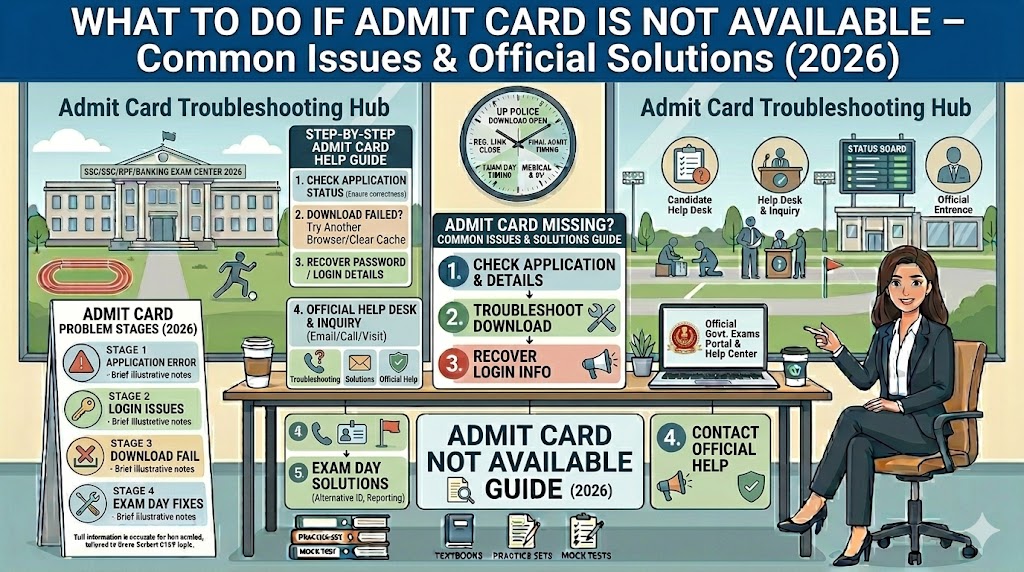
Two days before your exam. Portal open. Registration number entered. And nothing — either a blank screen, a spinning loader that never resolves, or the one that really stops the heart: “Registration not found.”
Before the panic sets in, understand this: admit card issues are far more common than recruiting boards ever publicly acknowledge, and in almost every case, there is a clear path to a solution. What determines whether you get into that exam hall is whether you know the path — and start walking it immediately.
Before Troubleshooting — Check These First
Two things are worth confirming before you assume something is broken.
Is the admit card actually released yet? Government exam portals frequently run 1–3 days behind their announced release dates with no formal update notice. Check the official exam board’s homepage — not the admit card portal page — for the latest notification. Ignore WhatsApp group updates and coaching site posts; they often recycle old dates. Only the official notice is reliable.
Is your application confirmed? Log in and check your application status before anything else. If it shows Incomplete, Pending, or Rejected — the admit card issue is a downstream consequence of an application problem, not a standalone technical glitch. Address the status first.
Are admit cards being released region-wise? SSC, RRB, and some state boards release admit cards in batches — by region, by exam date, or by shift group. Your admit card may already be available on your specific regional portal even when the national portal shows nothing. Check your application form for your region, then go directly to that regional site.
Problem 1: You’ve Forgotten Your Registration Number
This is the most common admit card problem and the most straightforwardly solved.
For RRB exams: Visit your specific regional RRB website (rrbald.gov.in for Allahabad, rrbgorakhpur.gov.in for Gorakhpur, rrbpatna.gov.in for Patna, rrbmuzaffarpur.gov.in for Muzaffarpur). On the admit card login page, click “Forgot Registration Number.” You can recover it by entering your Name and Date of Birth, or your Registered Email ID and Date of Birth. Your registration number appears on screen or is sent to your registered email.
For SSC exams: Visit your regional SSC website. Under the candidate login section, use the “Forgot Registration Number” or “Forgot Password” option. Enter your Name, Date of Birth, and registered mobile or email as prompted.
For NTA exams (JEE Main, NEET, CUET, UGC NET, CSIR NET, AISSEE, CMAT, NIFT): Visit the specific exam’s official portal — jeemain.nta.nic.in, neet.nta.nic.in, cuet.nta.nic.in, and so on. Use “Forgot Application Number” and provide your Name, Father’s Name, Mother’s Name, Date of Birth, and Category exactly as entered during registration. The application number is sent to your registered mobile or email.
For UPSC exams: Visit upsconline.nic.in. Use “Forgot Registration ID” — enter your name, date of birth, and registered email. The Registration ID will be emailed to you. UPSC is conducted entirely independently — not through NTA.
If all portal options fail: Check your SMS inbox for the application submission confirmation message, which typically contains your registration number. Also check your email for the confirmation message from the exam board’s official address. These were sent at the time of application and are the fastest backup.
Problem 2: OTP Not Arriving or Password Lost
OTP delay: Wait 3–5 full minutes — OTPs have network delay, especially on congested government servers. If the OTP hasn’t arrived in 5 minutes, check whether DND (Do Not Disturb) is activated on your registered number. Government OTPs are blocked by DND on some carriers. Call your mobile operator to lift DND temporarily, then request a fresh OTP.
Try requesting the OTP during off-peak hours — before 9 AM or after 9 PM. Between 10 AM and 1 PM, portal traffic is highest and OTP delivery is slowest. If the portal offers an email OTP option, use that as an alternative.
Mobile number changed since application: This is more serious. OTP-based logins will fail permanently until the number is updated in the system. Email the helpdesk — not call — with your full name, Application/Registration Number, Date of Birth, old registered mobile number, new mobile number, and a scanned copy of your Aadhaar Card. Request a registered number update. Allow 2–5 working days. Do not wait until the night before the exam to initiate this.
Forgotten password (non-OTP portals): Click “Forgot Password,” enter your Registration Number and Date of Birth. A reset link or temporary password is sent to your registered email. If you no longer have access to that email, contact the helpdesk with ID proof and request a manual reset.
Problem 3: The Portal Won’t Load
Government portals are built for normal traffic — on admit card release day, when lakhs of candidates hit the server simultaneously, they frequently crash or slow to a crawl. This is a recurring, predictable problem that every recruiting board quietly lives with.
Work through these fixes in order:
Check your connection first — open any other website. If that also fails, the issue is on your end, not the portal.
Switch networks. Mobile data and broadband route differently to government servers. If one doesn’t work, try the other. Some candidates find that a different carrier’s data connection reaches the portal when their primary SIM cannot.
Clear browser cache and cookies completely, then refresh. In Chrome: Settings → Privacy and Security → Clear Browsing Data → select All Time → clear. Then try again.
Switch to a different browser. Firefox and Microsoft Edge sometimes succeed when Chrome fails on government portals. Also try an Incognito window — it opens without cached data interfering.
Try at off-peak hours. Portal traffic is lowest between 11 PM and 6 AM. If the site is inaccessible during the day, trying late at night often succeeds.
Use a desktop or laptop if you are on mobile. Government portals have more compatibility issues on mobile browsers than on desktop browsers.
Problem 4: The PDF Downloaded But Won’t Open
If the file shows blank, won’t open, or shows a “file damaged” error — the download likely got interrupted, especially on an unstable connection. Delete the partial file and download again.
If re-downloading doesn’t fix it, open the file with Adobe Acrobat Reader (free to download) rather than your browser’s built-in PDF viewer. Many government admit card PDFs use security features that are compatible only with Adobe Reader.
Some admit card PDFs are password-protected. The password is usually your Date of Birth in DDMMYYYY format or your Registration Number — check the official notification for the specific format for your exam.
If the file still won’t open, try on a completely different device — a different phone, a friend’s laptop, or a cybercafé computer.
Problem 5: Wrong Details Printed on the Admit Card
This is the most time-sensitive problem. Act the same day you discover the error — not tomorrow, not after the weekend.
First, log in to the portal and check your original application form. If the application form itself has the wrong detail — check whether the Correction Window is still open. If it is, correct it immediately. If the correction window has closed, email the helpdesk with proof of the correct detail (Aadhaar, 10th certificate, birth certificate), your Application Number, and a clear correction request.
If your application form has the correct detail but the admit card shows something different — that is a system-side error. Email the helpdesk with a screenshot of both: the correct application form detail and the wrong admit card detail. This kind of error gets resolved faster than application-level corrections because the board’s own data is internally inconsistent.
For a blurry or missing photograph: carry your original application confirmation printout and multiple photo ID documents to the exam centre, and inform the Centre Superintendent before the exam begins. Most exam boards allow entry with a valid photo ID if the roll number matches and the candidate’s face is identifiable — but confirm this with the helpdesk for your specific exam rather than assuming.
Problem 6: Your Name Is Missing From the Exam Centre Attendance List
This happens — rarely, but it does. Sometimes the centre-wise printed list was generated before a last-minute application confirmation, and a legitimate candidate’s roll number is not on the paper list.
Do not leave the centre. Go directly to the Centre Superintendent or Invigilator-in-Charge before the exam starts and show your printed admit card, photo ID, and application confirmation printout. The superintendent can verify your candidature through the system even if the printed list does not show your name. Almost all genuine cases are resolved this way.
Problem 7: The Portal Shows “Exam Postponed” or “On Hold”
Visit the exam board’s main homepage — not the admit card page — and look for the latest official notice or press release. Verify whether the postponement is for all centres or only specific ones. Do not book travel or accommodation until you confirm your specific exam date is proceeding. Subscribe to official SMS alerts on your registered mobile if the board offers this.
Helpdesk Contacts — Board Wise
When self-help steps have been exhausted, contact the official helpdesk. Always email rather than call — a written record with timestamps is more traceable for admit card corrections.
SSC (Staff Selection Commission)
RRB — Key Offices for UP and Bihar Aspirants
NTA — For JEE Main, NEET, CUET, UGC NET, CSIR NET, AISSEE, CMAT, NIFTshiksha+1
Website: nta.ac.in | Email: nta@nta.ac.in | Toll-free: 1800-103-2581
UPSC — For Civil Services, CDS, NDA, and all UPSC examinations
Website: upsconline.nic.in | Phone: 011-23381125, 011-23385271
Facilitation Counter: UPSC Dholpur House, Shahjahan Road, New Delhi — 10 AM to 5 PM on working days
If Exam Day Arrives and the Issue Is Still Unresolved
Do not skip the exam. Go to the centre with every document that proves your identity and application:
-
Printed screenshot of your application confirmation page (Registration Number clearly visible)
-
Original Aadhaar Card
-
Fee payment receipt or bank statement showing the exam fee deduction
-
Email confirmation received at the time of application
-
Any prior-stage admit card if this is a multi-stage recruitment
Report to the Centre Superintendent before the exam starts. In most genuine cases, candidates are allowed to sit under observation and the candidature is verified later. This is not a guaranteed right — it is at the superintendent’s discretion — which is why resolving it through the helpdesk before exam day is always the first priority.
The Single Most Effective Prevention
After you submit any government exam application, do these three things immediately:
Save your Registration Number in at least three places — a physical diary, a cloud note, and a saved email to yourself. Keep your registered mobile number active throughout the entire recruitment cycle — even if you change your primary number, keep that SIM recharged and receiving SMS. Download the admit card on the first day it is released, not the last day.
Most admit card crises are either avoidable entirely, or recoverable if caught early. The window to fix them closes fast — sometimes in hours on the day of release. The candidates who stay calm are the ones who start troubleshooting within minutes of finding a problem, not the ones who wait a day hoping it resolves itself.
Helpdesk contacts and portal procedures are subject to change. Always verify from the official exam board website for the latest contact information.
This website is not affiliated with SSC, RRB, NTA, UPSC, or any government body. Content is for educational and informational purposes only.
Written by Manish | Government exam preparation | sarkariexamresults.net